
Technology & Infrastructure
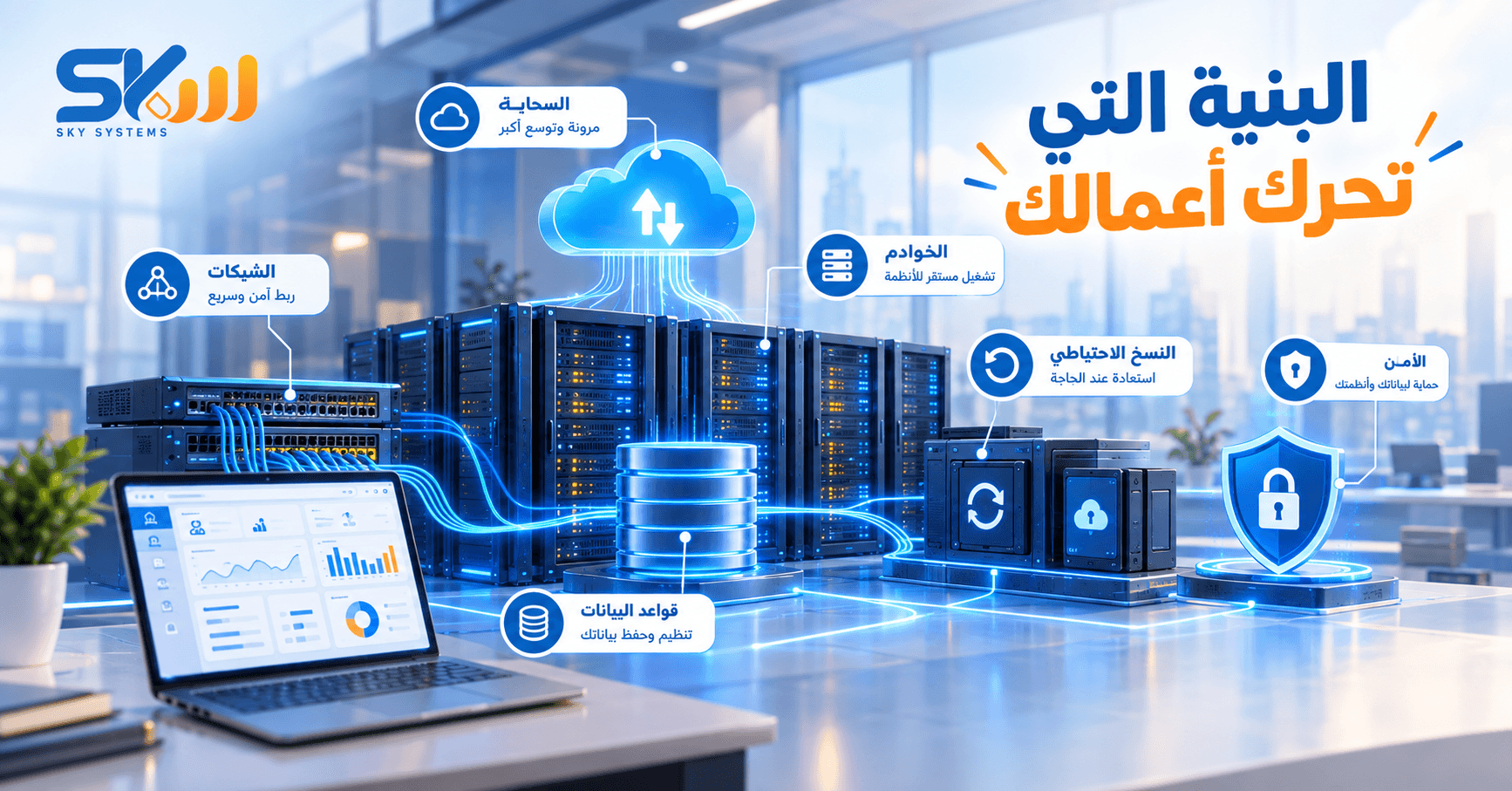
**Technology & Infrastructure** This section takes the reader behind the screen. Customers see the application, website, or system, but they do not see the servers, databases, hosting, backups, integrations, and technical infrastructure working in the background to keep services available, stable, and reliable. That is why this section explains the technical side in a simple and accessible way, helping business owners and managers understand what their systems need and what affects their stability, performance, and data security.
Technology & Infrastructure
1. What Happens Behind the Screen When We Use Any System?
When a user opens an application, website, or system, a series of processes takes place behind the screen.
The request is received, the data is processed, and the system connects to databases when needed before returning the result to the user.
All of this happens within seconds, which makes the process appear simple from the outside, while a complete technical infrastructure is working behind it.
What the user sees is the interface, while most of the system’s work happens behind it.
2. What Is a Server?
A server is a device or computing environment dedicated to running services and systems and storing or processing data, depending on the nature of the system.
When employees use a system or customers access a website or application, the system needs an environment where its services can run and respond to requests.
A server may be located within the company, hosted by a service provider, or operated within a cloud environment.
A server is one of the essential components that makes a system available to users.
3. What Is Hosting?
Hosting is the environment where a website, application, or system is run and made available to users.
Instead of the system existing only on the user’s device, it runs on a server that can be accessed over a network.
Hosting options vary depending on the required resources, the nature of the system, the number of users, and the required level of performance and security.
Choosing the right hosting environment affects the system’s performance, stability, and ability to handle growth.
4. What Is Cloud Hosting?
Cloud hosting means running systems and services within a cloud infrastructure that relies on computing resources available over the internet.
One of its key advantages is the ability to provision and manage resources more flexibly according to the system’s needs.
This makes it a suitable option for companies that need scalability or greater flexibility in managing resources.
However, the cloud is not the ideal solution for every situation. The right choice depends on the company’s needs and the nature of the system.
5. What Is the Difference Between Cloud Hosting and a Traditional Server?
A traditional server may rely on a dedicated server or a specific infrastructure where resources are allocated to the system.
A cloud environment generally provides greater flexibility in managing resources, scaling, and distributing services depending on its design.
However, the comparison should not simply be between “old” and “new.”
Factors such as performance, security, cost, flexibility, backups, management, and system size should all be considered.
The best option is the one that fits the system’s needs—not necessarily the most modern one.
6. Where Is System Data Stored?
Data is typically stored in dedicated databases operating within the technical environment where the system is hosted.
The way data is stored and organized varies depending on the type and nature of the system.
For example, data may include customer information, transactions, orders, accounts, settings, and more.
Data organization and storage methods are essential components of building a stable and manageable system.
7. What Is a Database?
A database is where data is organized so that the system can store, retrieve, and process it when needed.
Instead of information being scattered across separate files, it is organized in a way that allows the system to work with it systematically.
When a user searches for specific information, the system accesses the required data and displays it to the user.
A database is a fundamental part of the infrastructure a system relies on to manage information.
8. What Happens If the Database Goes Down?
If a problem occurs with the database, the system may be directly affected because many of its functions depend on access to data.
This may cause some services to slow down, become unavailable, or prevent certain operations from being completed.
That is why simply running a database is not enough. Monitoring, protection, backups, and recovery plans are also essential.
Data stability is a fundamental part of system stability.
Backup & Data Protection
9. Why Do Systems Need Backups?
A backup provides an additional copy of data that can be used if the original data is lost or a technical problem occurs.
Problems may result from hardware failure, human error, system issues, or other causes.
Having a backup reduces the risk of permanently losing data.
Backups are not a luxury. They are an essential part of managing systems and data.
10. Does Having a Backup Mean the Data Is Secure?
Not necessarily.
Having a backup is important, but it is also necessary to know where it is stored, how up to date it is, whether it can actually be restored when needed, and who has access to it.
A backup that cannot be restored when a problem occurs does not fulfill its intended purpose.
A good backup strategy is not simply about having a copy. It is about ensuring that the copy can actually be relied upon when needed.
11. How Can We Protect Systems from Unauthorized Access?
System protection depends on a combination of measures, not a single tool.
These include managing user permissions, using appropriate authentication methods, keeping systems updated, monitoring access, protecting servers and data, and applying security measures appropriate to the nature of the system.
Permissions should also be aligned with each user’s role.
Security begins with the way a system is designed and managed—not simply by adding a security tool at the end.
12. Is System Security Only the Responsibility of the Technical Team?
The technical team plays a key role, but system security is a shared responsibility.
A system may be technically protected, but weak passwords, shared login credentials, or inappropriate permissions can still create problems.
That is why companies need to combine technical protection with proper usage and awareness of security practices.
Real security requires both good technology and good practices.
API & System Integration
13. What Is an API?
An API is a structured way for systems and software applications to communicate and exchange data according to defined rules.
For example, one system can request data from another system or send information to it to perform a specific operation, instead of transferring the data manually.
This makes it possible to build connected services that work together without requiring everything to be part of a single system.
An API is one of the key mechanisms that enables systems to communicate with one another.
14. Why Do Systems Need Integration?
When systems operate separately, a company may have to enter the same data multiple times or transfer it manually between systems.
Integration allows data to be exchanged in an organized way, helping reduce duplicate data entry and improve the flow of information.
For example, transaction data can move from one system to another without requiring it to be entered again manually.
Integration allows systems to work together instead of operating independently.
15. Does Integration Mean That All Systems Become One System?
No.
Systems can remain independent while exchanging data with one another in an organized way.
For example, a company may have an accounting system, a sales management system, and another system for a specific service. These systems can be connected when there is a genuine need to exchange information.
Integration means communication between systems, not necessarily combining them into a single application.
16. What Happens When Integration Is Not Properly Designed?
Data may be transferred incorrectly or duplicated, update timing may cause errors, or inconsistencies may appear between systems.
Poorly planned integration can even increase complexity instead of reducing it.
That is why it is important to define what data will be transferred, the direction of data flow, when updates should occur, and how errors will be handled.
Successful integration requires clear design, testing, and continuous monitoring.
System Performance & Speed
17. Why Does a System Become Slow?
System performance issues can result from several factors, such as an increase in the number of users, growing data volumes, insufficient resources, the way certain processes are executed, or problems with the database or network.
There is therefore no single cause that applies to every system.
Identifying the cause of the slowdown is the right first step before attempting to improve performance.
18. Does Increasing Server Capacity Always Solve Performance Problems?
Not necessarily.
Some situations may require additional resources, but the problem may actually lie in the system design, database, or the way processes are executed.
If the root cause is software-related, simply increasing server resources may not provide a real solution.
Performance improvement starts by identifying the source of the problem and then choosing the appropriate solution.
19. What Happens When the Number of System Users Increases?
As the number of users and transactions increases, so does the load on the system’s components.
The company may need additional resources, improvements to the system or database, or changes to how services are distributed.
The technical infrastructure should therefore be capable of handling growth within appropriate limits.
A system that performs well with a limited number of users may require further development as usage grows significantly.
20. How Do We Know When the Technical Infrastructure Needs to Be Upgraded?
The need becomes apparent when the system begins experiencing recurring issues such as slow performance, outages, difficulty handling more users, increasing data volumes, or difficulty adding new services.
These indicators suggest that the existing infrastructure needs to be evaluated.
The solution may involve increasing resources, improving the system, changing the hosting approach, or reorganizing certain components of the technical infrastructure.
The right upgrade starts with the actual problem—not with changing technology simply for the sake of change.
Conclusion
The technology users see is only the visible part.
Behind every application, website, or system is a complete infrastructure that includes servers, hosting, databases, backups, security, APIs, integrations, and performance management.
Understanding these components helps business owners recognize what their systems need to operate reliably, securely, and at scale.
The Core Idea of This Section:
What the user sees → What happens behind the screen → Where is the data stored? → How do systems work? → How do they communicate with one another? → How do we protect them? → How do we maintain their performance? → How do we prepare for growth?
Audience
This section is aimed at:
Business owners
Managers and decision-makers
Technology professionals
Systems and infrastructure managers
Website, application, and system owners
Anyone who wants to understand the technology behind their systems without needing to be a technical specialist
Technology that works well often goes unnoticed because users only see the service, while the entire infrastructure works behind the screen to deliver it.