Sky Picks
Smarter Technology. Stronger Business. In a world where technology is evolving rapidly and the way businesses are managed is constantly changing, we help you understand what lies behind digital systems and solutions, and discover how technology can make your business more organized and efficient.Discover the knowledge that helps you make better technology decisions.
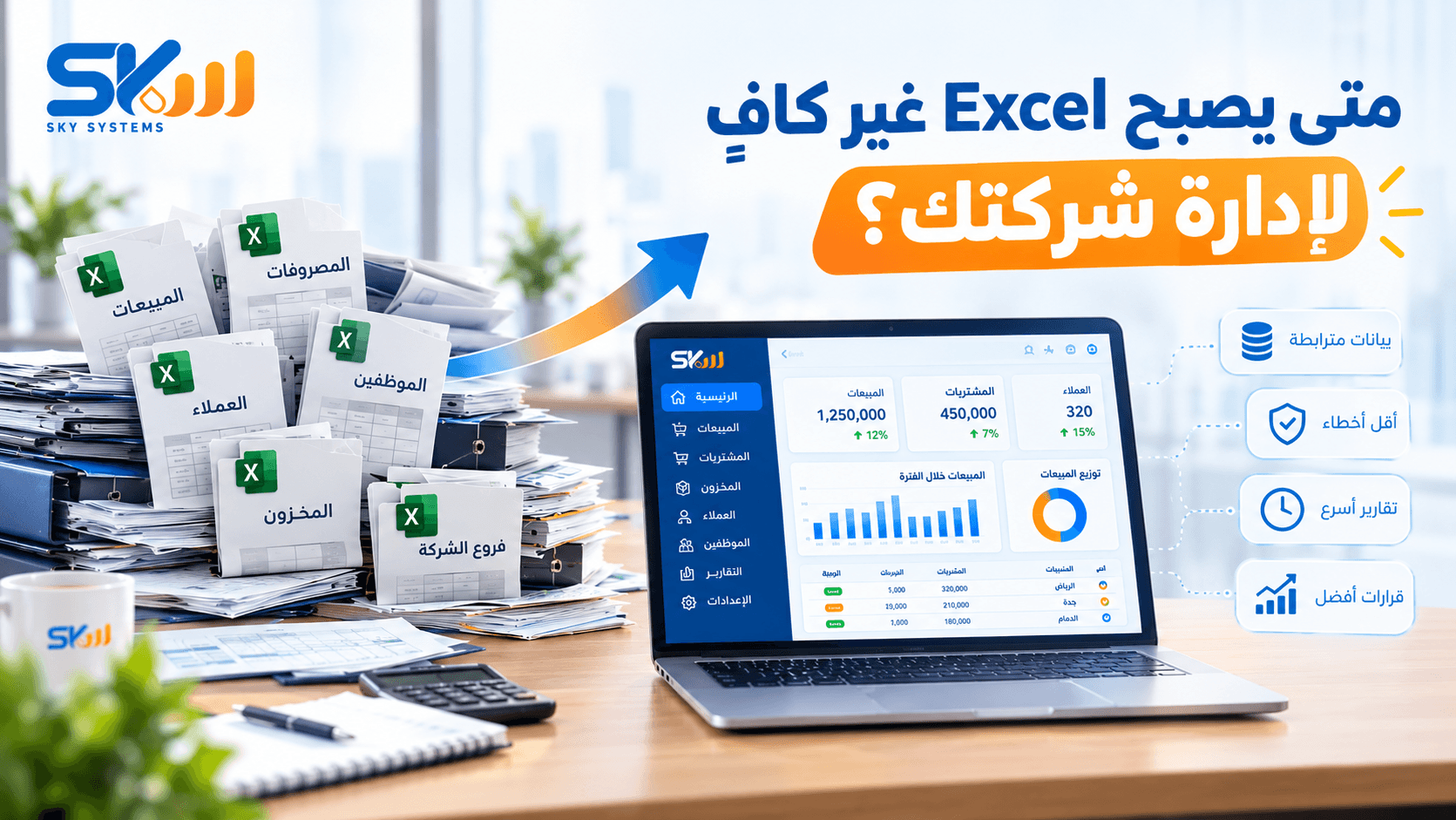
When Does Excel Become Insufficient for Managing Your Business?
It often starts with a simple spreadsheet.
One file for sales, another for expenses, a customer list, and perhaps a spreadsheet for inventory or employees. At first, this approach seems practical and easy, especially when the company is small and the number of operations is limited.
But as the company grows, things begin to change.
Data increases, along with the number of employees and customers. Operations and branches multiply, and files begin to expand and overlap. Over time, information that once took a minute to access may require checking several files and consulting more than one person.
And this raises an important question:
When does Excel become insufficient for managing the business?
Is Excel the Problem?
Not necessarily.
Excel is a powerful and useful tool for organizing data, performing calculations, creating spreadsheets, and preparing reports. It can be highly suitable at certain stages of a business.
The problem is not Excel itself. The problem arises when it is used to manage operations that have become too large or complex to rely on separate files.
There is a difference between using Excel as a supporting tool and making it the primary system for managing all of a company’s operations.
When the Number of Files Starts to Grow
A company may begin with a single file.
Then comes a file for sales, another for expenses, a third for customers, a fourth for inventory, and perhaps separate files for each branch or department.
Over time, it becomes difficult to answer a simple question:
Where is the information I need?
Another problem may also arise:
Which file contains the latest version?
The more files there are, the harder it becomes to manage and review data, especially when multiple employees are working with the same information.
When Data Entry Becomes Repetitive
One common problem is entering the same information more than once.
An employee may record a sales transaction in one file, then another employee transfers it to the accounting records, and the data is later collected again to prepare a management report.
This means employees are not only spending time performing their actual work, but also moving information from one place to another.
And as data entry is repeated, the likelihood of errors also increases.
When Errors Become More Frequent
The more data and manual entries there are, the greater the possibility of errors.
For example:
Entering a number incorrectly.
Recording the same transaction twice.
Forgetting to update the data.
Accidentally deleting information.
Using an outdated file.
Having different figures in different files.
These errors may seem minor, but when they accumulate, they can affect the reports and decisions that management relies on.
When Preparing Reports Becomes Time-Consuming
Management needs to know what is happening inside the company.
How much were the sales?
How much are the expenses?
Which customers have outstanding balances?
How is each branch performing?
Which products are selling the most?
And what are the results for a specific period?
If answering these questions requires opening several files, collecting data, and calculating figures manually, it may be a sign that the current way of managing data is no longer suitable for the size of the business.
Data is not valuable simply because it exists. Its real value comes from being accessible and understandable when it is needed.
When Work Becomes Dependent on Specific People
Imagine that management needs to know the sales of a particular branch.
They contact the sales employee.
To check inventory, they need the inventory officer.
To review the accounts, they have to wait for the accountant.
This approach may be acceptable in a small business, but it becomes increasingly difficult as the company grows.
Information should be connected to the business and its system, not dependent on one person alone.
If an employee is absent, the information should not be unavailable with them.
When You Have More Than One Branch
Managing one branch is different from managing several branches.
As the number of branches increases, management needs to know:
The performance of each branch.
Sales and operations.
Inventory movement.
Expenses.
Differences between branches.
The company’s overall results.
If each branch’s data is stored in a separate file, consolidating, comparing, and reviewing that information can become more difficult.
This is where the need for a more organized way to manage data and monitor branches begins to emerge.
When Accessing Information Becomes Slow
In business, time matters.
If a manager has to wait for an employee to collect the data, or review several files to prepare a report, decision-making may be delayed.
Well-organized data, on the other hand, helps management gain a clearer picture of the current situation instead of relying on outdated or incomplete information.
When the Company Outgrows Its Way of Managing the Business
The current way of working may be suitable when the company is small.
But growth changes the equation.
More customers.
More operations.
More employees.
More data.
More branches.
If the company continues using the same approach without improving it, the tools that once made work easier may eventually become another source of complexity.
And the question is no longer:
How can we make Excel handle more?
Instead:
Is this still the right way to manage our business?
Should You Stop Using Excel?
No.
And this is an important point.
Excel will remain a useful tool for many business activities, including analysis, spreadsheets, calculations, and certain types of reporting.
The key is to use it where it makes sense.
There is a difference between:
Excel as a supporting tool
and:
Excel as the primary system for managing the company.
If a company relies on dozens of files to manage its daily operations, it may be time to consider a more integrated system.
What Can a Business System Provide?
The goal of moving to a system is not simply to replace Excel files.
The goal is to organize the way work is done and connect data and operations with one another.
Depending on the system and the company’s needs, a business system can help with:
Organizing customer and supplier data.
Managing sales and invoices.
Managing purchases.
Managing inventory.
Recording financial transactions.
Monitoring branches.
Managing user permissions.
Reducing duplicate data entry.
Generating reports.
Monitoring operations more clearly.
When data and operations are connected, it becomes easier for management to access the information it needs.
Does Every Company Need an Integrated System?
Not necessarily.
This is where some business owners make a common mistake: assuming that the best solution is always the system with the largest number of features.
The right solution is the one that matches the company’s actual needs.
A small company may only need an accounting system.
Another company may need a system that connects accounting, sales, inventory, purchases, and other operations.
For another company, the real challenge may be that its existing systems are not connected. In that case, integration may be the better solution instead of replacing everything.
So, don’t start by asking:
What is the best system?
Start by asking:
What problem do I need to solve?
How Do You Know When It’s Time to Move to a System?
You can look for a number of indicators:
If Your Data Is Scattered Across Many Files
And you need to search in multiple places to find the information you need.
If Data Entry Is Repetitive
And different departments are entering the same information more than once.
If Errors Are Becoming More Frequent
And identifying and correcting errors takes more time.
If Reports Are Taking Too Long to Prepare
And management has to wait before they can access them.
If You Have More Than One Branch
And it has become difficult to monitor all branches from one place.
If the Number of Employees Has Increased
And controlling access to data and monitoring operations has become more complicated.
If the Company Is Planning to Expand
Because the system that suits the company today may not be suitable when the volume of work doubles.
Before Choosing a System… Ask These Questions
Before making a decision, it is better to understand your company’s needs first.
Ask:
What operations consume the most time for employees?
Where do errors occur most frequently?
Where is the company’s data currently stored?
Can management access information easily?
Does the company need to manage more than one branch?
What reports does management need on a regular basis?
Which operations can be automated?
Does the company need an accounting system or an integrated system?
Does it need to connect systems that are already in place?
Can the chosen solution keep up with the company’s growth?
Answering these questions helps you identify what you actually need before you start searching for a system.
What If You’re Not Ready to Make the Full Transition?
The change does not have to happen all at once for every company.
A company may start by organizing a specific department, moving from scattered files to a dedicated system, and then gradually developing the rest of its operations.
What matters is that the transition is based on a clear plan and a real business need, rather than simply adopting new technology.
The Bottom Line
Excel is not the problem.
The problem begins when the company grows while the way it manages its data and operations remains the same.
If files have multiplied, data has become scattered, reports take too long to prepare, errors are becoming more frequent, and management is finding it difficult to understand what is happening inside the company, it may be time to rethink how the business is managed.
Don’t wait until data becomes a burden on your company.
Start organizing it while the workload is still manageable.
Good technology is not simply about replacing the way work is done. It is about making that work more organized, giving management greater clarity, and making growth easier.
Is Your Company Still Relying on Excel to Manage Its Operations?
Perhaps the question is not:
Is it time to stop using Excel?
But rather:
Has your company outgrown the way it manages its data today?